RWAX is deliberately open at the front. A visitor can look at what is being issued before deciding whether to hold anything, and only the things that concern a person specifically need a signed-in session.
What You Can See Before Signing In
| Open to a visitor | Requires a signed-in session |
|---|---|
| The RWA Deed Exchange: what is listed, against which asset | Your portfolio, your offers, your rewards |
| Projects, the developments and their units | Making an offer, or acquiring anything |
| The public record of a project's units | Notifications, governance, settings |
That split is enforced on the server rather than decided by the interface, and each route was measured against the API rather than inferred from its label, which matters, because a page that merely looks public while its data is not is how a signed-out visitor reaches someone else's records.
Signing In
RWAX operates no login of its own. Authentication belongs to SWSS IVL, and every entry point in the application resolves to the same place: there is no second door anywhere in it.
open /governance --signed-out
 123
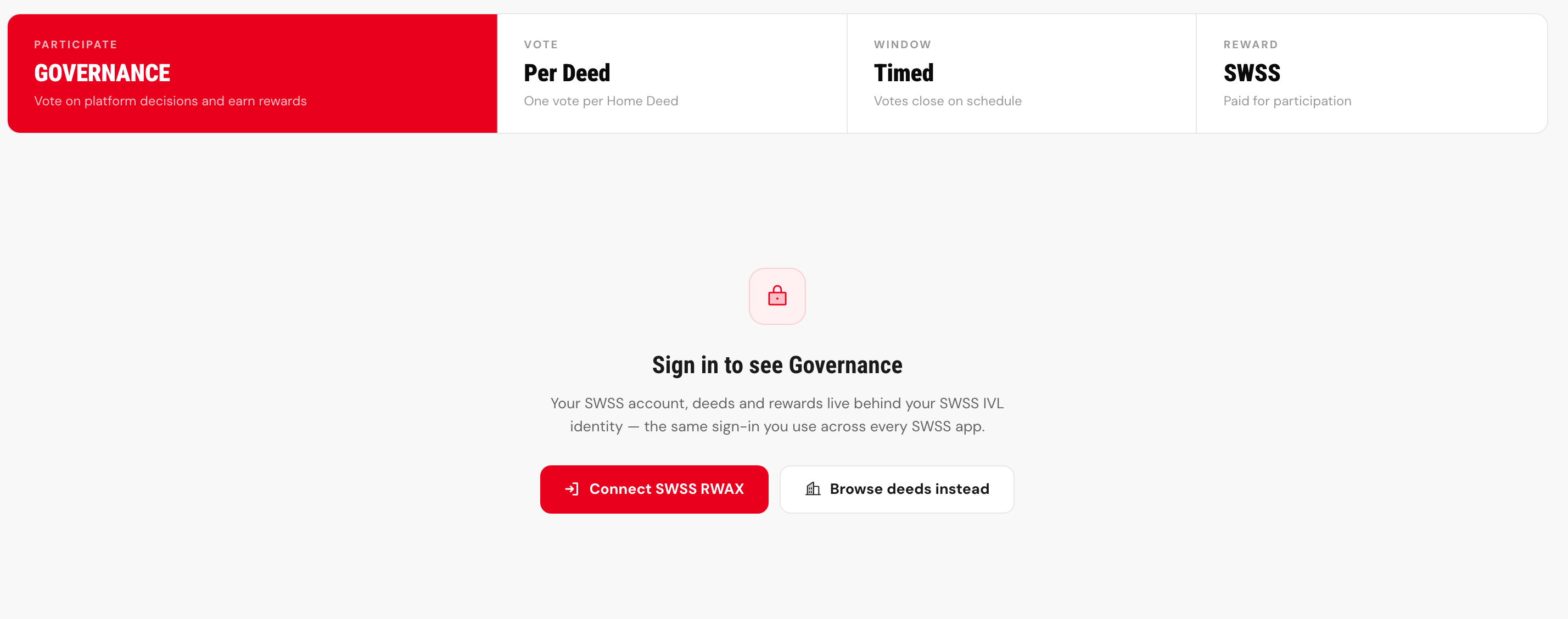
- The mechanism is public. One vote per Home Deed, a window that closes on schedule, and SWSS Coin paid for taking part. None of it needs a session, because how governance works is not a private fact.
- The record is not. The proposals themselves, and how you voted on them, belong to your account and sit behind the gate.
- There is one door, and it is not here. Choosing to connect hands you to SWSS IVL. RWAX operates no login of its own, so this is the same identity you use across every SWSS application. The second button returns you to browsing, which never required one.
- Choose sign in. RWAX sends you to IVL rather than asking you for a password.
- Check the address bar. Authentication happens on
ivl.swss.io. That domain, exactly: the same check described in Signing In with SWSS IVL, and for the same reason. - Authenticate. Your identity is established at IVL. RWAX receives confirmation of who you are and no credential.
- Return, signed in. A RWAX session is issued for this application only.
Signing out ends the session at IVL, not only here. Clearing the RWAX session alone would leave you signed in at the identity master, which is why the control does both.
What You Need Before Acquiring Anything
Browsing needs nothing. Acquiring a deed needs a verified identity, see Identity Verification, and a means of payment, described in Acquiring a Deed. Verification is done once, at IVL, and is recognised across the ecosystem rather than repeated per product.